In today’s modern era, when we buy a computer or laptop, we often come across the name “graphics card.” Some people consider it necessary only for gaming, while others believe it is mandatory for every computer. If you also want to know what a graphics card actually is and whether it is necessary for your laptop, this post is for you.
What is a graphics card?
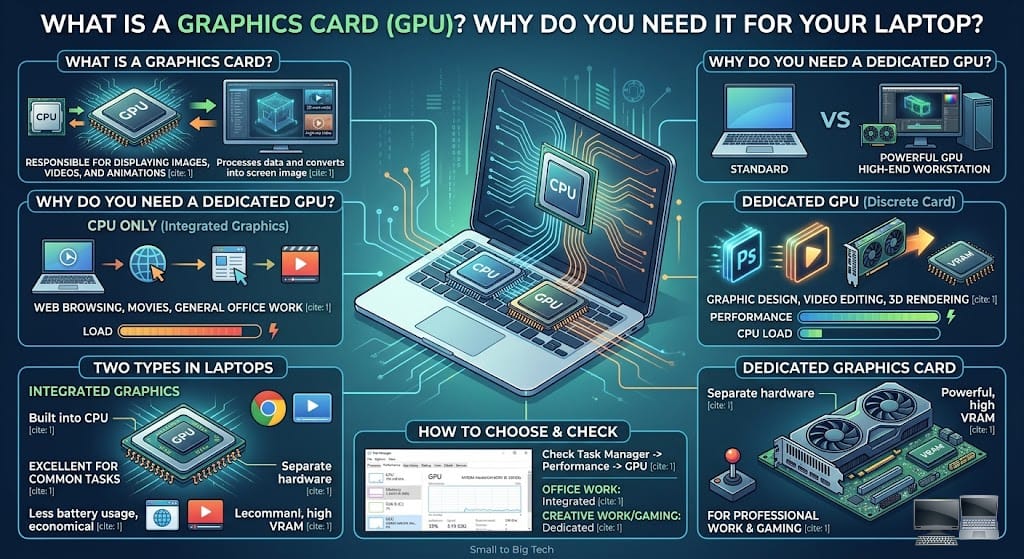
A graphics card, also known as a GPU, is the part of the computer responsible for displaying images, videos, and animations on the screen. The computer’s central processor, the CPU, is expert at calculations, but when it comes to complex graphics, 3D models, or high-resolution videos, the CPU needs help. This is where the graphics card performs perfectly. It processes data and converts it into the image that appears on the screen.
Why is a graphics card necessary?
You might be wondering if the CPU is already present in the computer, why is a separate graphics card needed? Its importance is clear from the following points:
- Excellent performance: If you do graphic design, video editing, or 3D rendering, a powerful graphics card can complete hours of work in minutes. It prevents the computer from hanging during work.
- Gaming experience: The graphics of modern games are so complex that they require a dedicated graphics card to run. Without it, the game will either not run at all or will stutter significantly.
- Reduced load on the CPU: When the graphics card handles all image data itself, the CPU is freed up to perform other computer tasks much faster.
Does a laptop already have a graphics card?
This is a very important question. The answer is that every laptop has a graphics card, but there are two types:
- Integrated Graphics: Most general-purpose laptops have these. These graphics cards are built into the CPU itself. They are excellent and economical for web browsing, watching movies, and general office work. They do not take up extra space and consume less battery.
- Dedicated Graphics Card: These are installed as separate hardware on the laptop’s motherboard and have their own separate memory (VRAM). These are found in high-end gaming laptops, workstations, and editing laptops. If you are a professional video editor or gamer, you will need this.
How can you know which card is in your laptop?
Checking the graphics card in your computer or laptop is very easy. Open Task Manager in Windows, click on the “Performance” tab, and look at “GPU.” There you will find out which model is installed in your system and how much it is being used.
How to choose a graphics card?
If you are thinking of buying a graphics card, look at your needs. If you are a student or do office work, integrated graphics are sufficient. But if your work is creative or you are a gaming enthusiast, choose from dedicated cards from brands like NVIDIA or AMD.
Conclusion
A graphics card is the eye through which the computer sees the world in a beautiful and fast-paced way. Understanding the nature of your work and choosing a graphics card accordingly will be the best decision for you. If you choose the right graphics card, your computer will continue to meet your needs for a long time.
Do you know which graphics card is installed in your laptop? Are you facing graphics-related issues? Let us know in the comments!
Stay connected with “Small to Big Tech” to learn more interesting facts from the world of technology.