When assembling a computer, we often pay a lot of attention to the processor, graphics card, and RAM, but there is one component that is often overlooked: the “Power Supply Unit” (PSU). A faulty PSU can not only affect your computer’s performance but can also permanently burn out your expensive components. In today’s post, we will learn how to choose the best and safest power supply for your PC.
What is a Power Supply Unit?
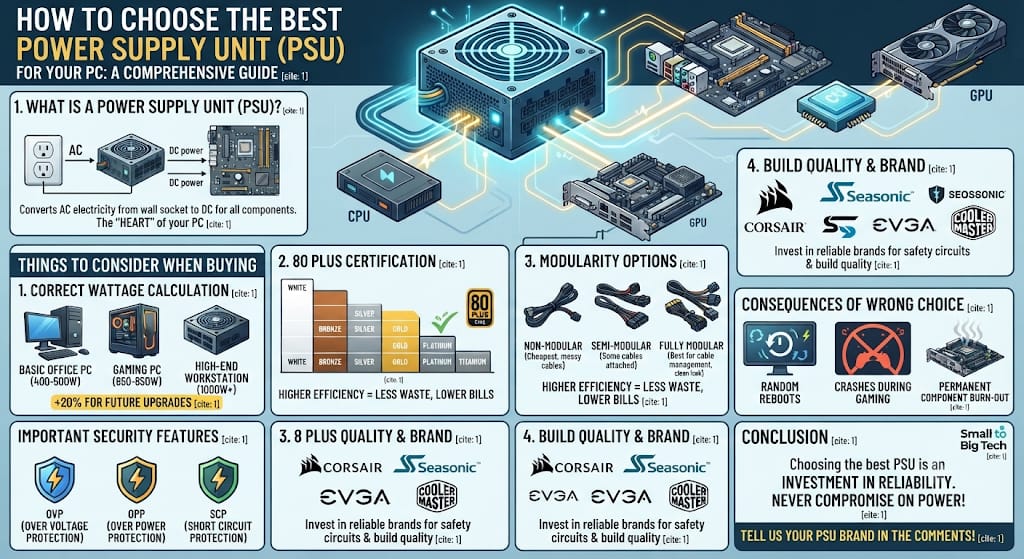
The power supply unit is the part of the computer that converts alternating current (AC) electricity from the wall socket into direct current (DC), which can be used by all computer components (motherboard, CPU, GPU). In simple words, it is the “heart” of your PC that supplies it with blood (electricity).
Things to consider when buying a power supply
1. Correct calculation of wattage
Every computer requires a specific amount of electricity to run:
- Basic Office PC: 400 to 500 watts are sufficient.
- Gaming PC: 650 to 850 watts is a standard choice.
- High-end Workstation: 1000 watts or more may be required. Always choose a PSU with about 20% more capacity than your PC’s total wattage so that there is room for future upgrades.
2. 80 Plus Certification
This indicates the efficiency of the PSU:
- 80 Plus White: Basic efficiency.
- 80 Plus Bronze: Best for budget builds.
- 80 Plus Gold/Platinum: Best for high efficiency and savings on electricity bills. Always buy a certified PSU because they prevent electricity wastage and run cooler.
3. Modular vs. Non-Modular
- Non-Modular: All cables are attached to the PSU. These are cheaper but make cable management difficult.
- Semi-Modular: Some cables are attached, while others can be plugged in according to your needs.
- Fully Modular: All cables are detachable. These are best for cable management and make the PC look clean and tidy.
4. Build Quality and Brand
Never buy a very cheap or unknown brand of power supply. Companies like Corsair, Seasonic, EVGA, and Cooler Master provide security features (Over-Voltage Protection, Short-Circuit Protection) in their products, which are essential for the safety of your PC.
Important security features of a power supply
A good PSU must have the following safety circuits:
- OVP (Over Voltage Protection): The PSU shuts down if the voltage exceeds the required limit.
- OPP (Over Power Protection): Protects the system from overloading.
- SCP (Short Circuit Protection): Prevents fire in case of a short circuit.
Consequences of a wrong choice
If you use a low-quality or inappropriate wattage PSU:
- Your PC may experience random reboots.
- The PC may crash during gaming.
- In the worst case, your motherboard or graphics card may burn out.
Conclusion
Choosing the best power supply unit for your PC is an investment. The advice from “Small to Big Tech” is to never compromise when it comes to power. Understand the needs of your components and always choose a reliable brand. A good power supply can extend the life of your computer by several years.
Have you ever seen your computer crash due to a power supply issue? Or which brand are you using? Do let us know in the comments!
Stay connected with “Small to Big Tech” for deeper insights into technology and more tips on PC assembling!