In today’s era, data is the greatest wealth. Whether it is your personal photos, important business documents, or your projects, data loss can be a massive setback. Viruses, hardware failures, or accidentally deleted files can wash away years of your hard work. In today’s post, we will learn what data backup is and what methods you can adopt to keep your data safe forever.
Why is data backup necessary?
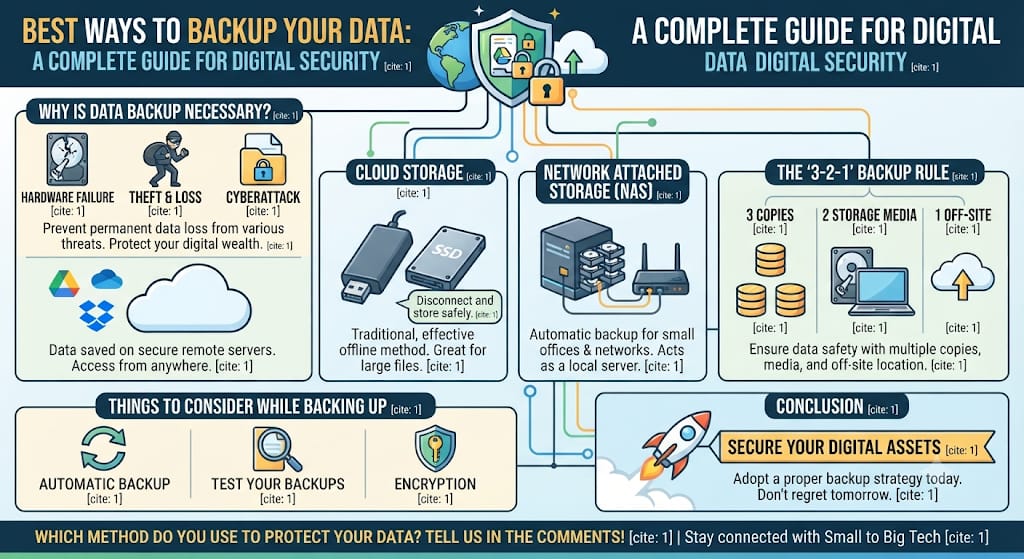
Data backup means saving an extra copy of your data in another location. Its importance lies in the fact that hard drives can fail at any time, laptops can be stolen, or a cyberattack can lock your files. If you have a backup, your work will never stop.
Best methods for data backup
1. Cloud Storage
This is the most popular and safest method of the current era. Your data is saved on Google servers via the internet.
- Benefits: You can access your data from anywhere in the world. Even if your computer breaks, the data remains safe.
- Popular Platforms: Google Drive, Microsoft OneDrive, and Dropbox.
2. External Hard Drives
This is a traditional yet extremely effective method. You can copy your files to a USB hard drive or SSD and keep them separately.
- Benefits: This is best for large data (like videos and large files). It does not require an internet connection.
- Tip: After copying your data, disconnect the hard drive from the computer and keep it in a safe place.
3. Network Attached Storage (NAS)
If you are part of a small office or blogging network, NAS is an excellent solution. It acts like a small server that automatically saves data from all the computers in your network in one place.
- Benefits: It is automatic, and you do not need to copy files repeatedly.
4. The “3-2-1” Backup Rule
Experts suggest the 3-2-1 rule for a successful backup:
- 3: Keep at least 3 copies of your data.
- 2: Keep 2 of these copies on different storage media (e.g., one on a laptop and the other on a hard drive).
- 1: Definitely keep 1 copy off-site (in the cloud) so that the data remains safe in case of a natural disaster or theft.
Things to consider while backing up
- Automatic Backup: Always choose software that takes backups automatically to avoid the possibility of human error.
- Test your Backups: Taking a backup is not enough; occasionally check if your saved data is opening correctly.
- Encryption: If your data is sensitive, make sure to protect or encrypt it with a password.
Conclusion
Instead of regretting after data loss, it is better to arrange for its protection today. In the journey of “Small to Big Tech,” your technology and your data are your greatest strengths. Whether it is the cloud or a hard drive, adopt a proper backup strategy and keep your work secure.
Which method do you use to protect your data? Do you believe in the cloud, or do you prefer hard drives? Let us know in the comments!
Stay connected with “Small to Big Tech” to stay informed in the world of technology and keep your digital assets safe.