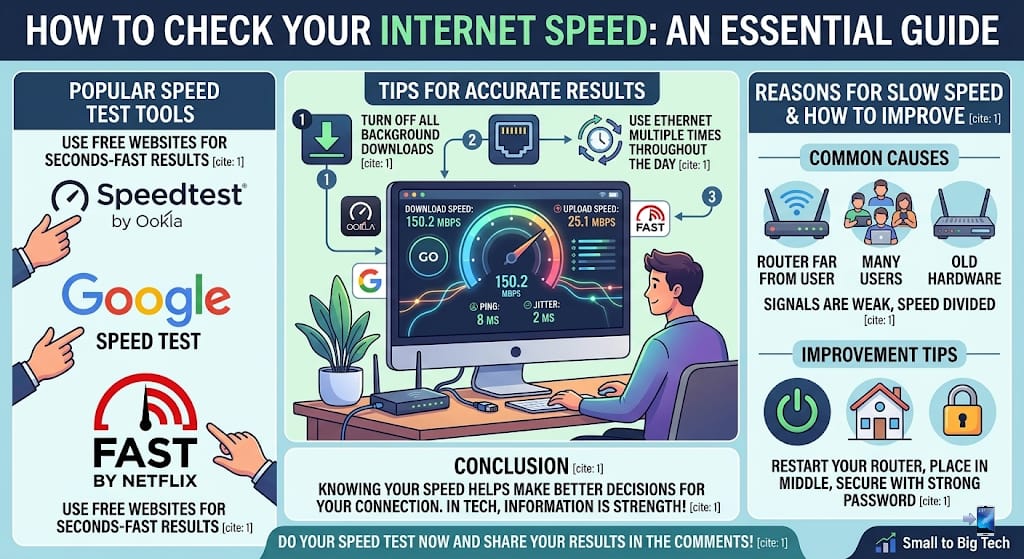
In today’s era, the internet has become an essential part of our lives. Whether it is online classes, video conferencing, or watching movies on Netflix, we need a fast and stable internet connection everywhere. Often, we feel that our internet is slow, but we do not know the actual reason. Is the internet service provider really giving us the speed they promised? In today’s post, we will tell you how you can test your internet speed at home.
Why is it important to test internet speed?
Knowing your speed is important so that you can find out if your connection meets your needs. If you are facing problems in browsing or streaming, a speed test helps you determine if the problem is in your system, the Wi-Fi signal, or if the actual issue is with the service provided by the company.
Key ways to test internet speed
Most used websites
There are many free websites on the internet that tell you your internet speed in seconds. The most famous among these is “Speedtest by Ookla.” You just need to go to its website and click the ‘Go’ button. This website will automatically measure your download and upload speeds and show you the result.
Using Google Speed Test
You can also search by typing “Check Internet Speed” on Google. Google offers its own built-in tool that works very quickly. This is best for those who do not want to visit additional websites.
Netflix’s Fast (Fast.com) Test
If you only want to know your video streaming capability, “Fast.com” is the simplest and best tool. It is specifically designed to check the quality of video streaming, which is why it takes very little time.
Things to keep in mind while testing
To get the correct result, it is necessary to follow a few things:
- Turn off background downloads: Turn off all downloads, updates, and video streaming while testing, otherwise the result will be incorrect.
- Ethernet cable instead of Wi-Fi: If possible, connect the laptop or computer directly to the router via cable instead of Wi-Fi; this provides the most accurate result.
- Test multiple times: Internet speed can change at different times of the day. Therefore, test three to four times at different times so that you can know the average speed.
Reasons for internet speed being affected
If the speed is coming up low in the test, there could be a few common reasons for this:
- Router distance: If your Wi-Fi router is far from you, the signals may be weak.
- Too many users: If too many mobiles and computers are connected to the same internet connection, the speed gets divided.
- Old hardware: Sometimes, an old router does not have the capacity for high-speed internet.
How to improve speed?
After checking the speed, if it is low, you can do the following:
- Restart your router; this often solves minor technical problems.
- Place your router in the middle of the house so that signals can reach everywhere.
- Put a strong password on your Wi-Fi so that no one else can use your internet illegally.
Conclusion
Checking internet speed regularly is the first step to improving your online experience. When you know what speed you are getting, you will be able to make better decisions regarding your internet package and devices. In this journey of technology, information is your greatest strength.
Do you know how much speed you are getting? Do your speed test now and tell us in the comments how fast your internet is!
Stay connected with “Small to Big Tech” for more such technical information.