If you have started your own blog or website and want your hard-written content to appear on Google’s first page, then Google Search Console (GSC) is your most important weapon. It is a free tool provided by Google that tells you how Google sees your website and how you can improve it. In today’s post, we will talk about the use and importance of Google Search Console.
What is Google Search Console?
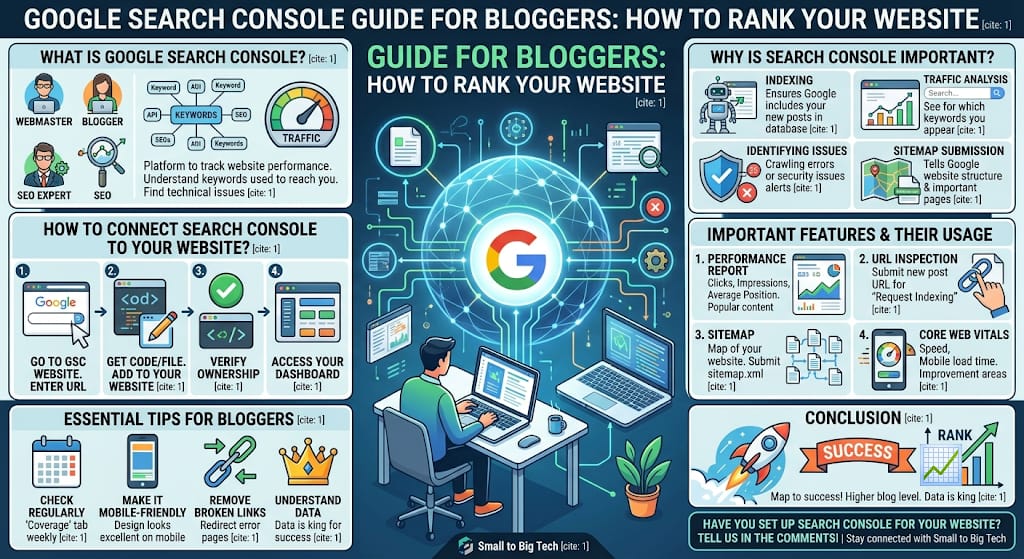
Google Search Console is a platform that helps webmasters, bloggers, and SEO experts keep track of their website’s performance. It helps you understand what keywords people are using to reach your website and what technical issues are hindering your website’s growth.
Why is Search Console important?
The importance of this tool for a blogger is undeniable:
- Indexing: It ensures whether Google is including your new posts in its database or not.
- Traffic Analysis: You can see for which keywords your website is appearing on Google.
- Identifying Technical Issues: It alerts you about crawling errors or security issues on your website.
- Sitemap Submission: It tells Google what the structure of your website is and which pages are important.
How to connect Search Console to your website?
Setting up Google Search Console is very easy, but it requires your website to be verified correctly:
- First, go to the Google Search Console website.
- Enter your website’s URL.
- Google will provide you with a code or file to verify ownership; add it to your WordPress website (via plugins like Yoast SEO or Rank Math).
- Once verification is complete, you will gain access to your dashboard.
Important features and their usage
1. Performance Report
This report tells you how many clicks your website received, how many people saw your link in search results, and what your average position is. Here, you can see which content is becoming the most popular.
2. URL Inspection
If you have written a new post, paste the URL here and send a “Request Indexing” to Google. This is the best way to get your post into Google quickly.
3. Sitemap
A sitemap is a map of your website. Submit your blog’s sitemap (usually sitemap.xml) here so that Google can easily reach all the links on your website.
4. Core Web Vitals
This tool tells you how your website’s speed is and how fast it loads on mobile. If the website is slow, Search Console will tell you where improvement is needed.
Essential tips for bloggers
- Check Regularly: Look at the “Coverage” tab in your Search Console at least once a week so no errors are left behind.
- Make it Mobile-Friendly: Google prioritizes mobile-friendly websites, so always ensure that your design looks excellent on mobile.
- Remove Broken Links: If there is a page showing an error in Search Console that is not important for your blog, remove it or redirect it.
Conclusion
Google Search Console is not just a tool; it is a map to your success. If you truly want to take your blog to a higher level, understanding the depths of this tool should be your top priority. In the technical world, data is king, and Search Console provides you with exactly the data you need.
Have you set up Search Console for your website? Are you facing any technical difficulties in using it? Let us know in the comments; we will try to help you.
Stay connected with “Small to Big Tech” to bring your blog into Google’s view and understand the nuances of SEO!